In this article
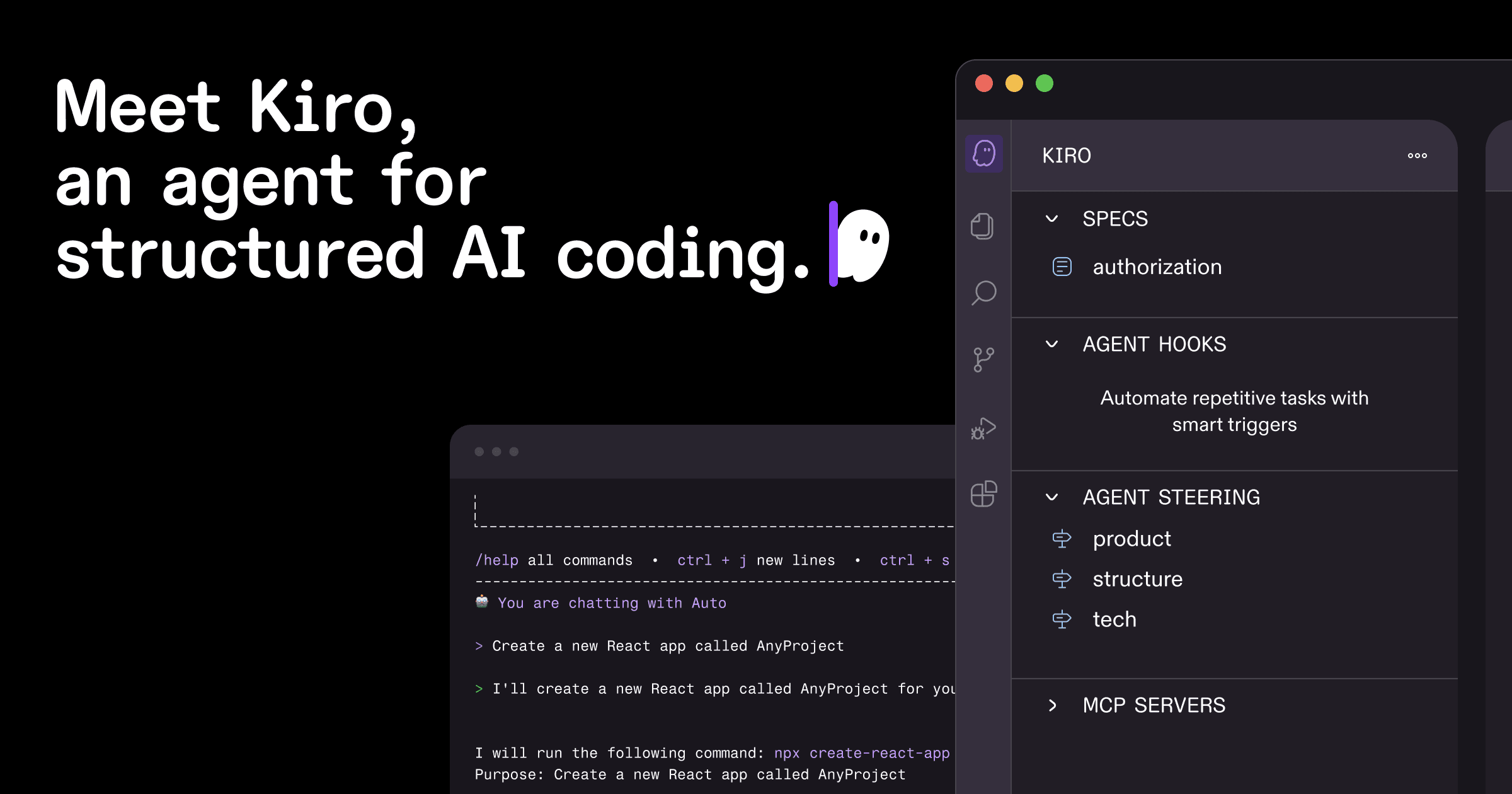
- Kiro.dev is an agentic AI IDE focused on structured, spec-driven development instead of one-off code generation.
- Specs, steering files, hooks, and MCP support help teams keep AI output aligned with real project requirements.
- The best results come from reviewing plans, implementing small tasks, and treating Kiro as an engineering assistant.
- Kiro can improve productivity for frontend, backend, full-stack, startup, tech lead, and junior developer workflows.
Introduction
AI coding tools are no longer just autocomplete engines. They can explain code, generate components, write tests, refactor services, and help teams move faster. But there is still one common problem: speed without structure can create messy software.
That is where Kiro.dev feels different. Kiro.dev is an AI coding IDE designed around a more disciplined way of building software. Instead of only asking an AI assistant to build a feature and hoping the result is good, Kiro encourages developers to plan, document, implement, and validate work through specs, project context, automation, and agentic workflows.
This Kiro.dev tutorial explains what Kiro.dev is, why developers should care, how its main features work, and how it can help frontend developers, backend developers, full-stack teams, startups, students, and tech leads.

What Is Kiro.dev?
Kiro.dev is an agentic IDE and command-line development tool that helps developers move from idea to production with AI assistance. It is built for teams that want more than quick code generation. The core idea is simple: AI should not only write code; it should understand the project, follow requirements, respect architecture, and help maintain quality.
In practical terms, Kiro.dev can help you understand an existing codebase, generate feature plans, create requirements and design documents, break work into implementation tasks, write and modify code, automate repetitive checks, and connect to external tools through MCP.
If you have used tools like GitHub Copilot, Cursor, Windsurf, or ChatGPT for coding, some parts of Kiro will feel familiar. The difference is that Kiro puts more emphasis on planning, structured context, and repeatable engineering workflows.
Kiro.dev is not just a faster way to produce code. It is a way to make AI-assisted coding more organized, reviewable, and easier to align with real software requirements.
What the Official Kiro Research Says
For this article, we reviewed Kiro's official website and documentation rather than relying on social posts or second-hand summaries. The current Kiro site describes Kiro as an agentic AI with an IDE, CLI, and web interface that helps teams go from prototype to production. It also highlights spec-driven development, agent hooks, steering files, MCP support, Code OSS compatibility, and Open VSX extension support.
The official docs also explain that specs generate structured artifacts for requirements, design, and implementation tasks. That matters from an SEO and technical accuracy point of view because Kiro.dev should not be described as only another AI chatbot. Its main differentiation is how it brings planning, context, and controlled task execution into the coding workflow.
| Official Kiro capability | What it means for developers | Source to review |
|---|---|---|
| IDE, CLI, and web interface | Developers can use Kiro inside an editor, terminal, or browser-based workflow. | Kiro homepage |
| Specs | Feature ideas become requirements, design notes, and trackable implementation tasks. | Kiro specs docs |
| Steering files | Teams can give Kiro persistent project rules, architecture context, and coding standards. | Kiro steering docs |
| Hooks | Developers can automate checks or agent actions when IDE events happen. | Kiro hooks docs |
| MCP support | Kiro can connect to external tools, docs, APIs, and data sources through Model Context Protocol. | Kiro MCP docs |
Why Developers Should Care About Kiro.dev
Most developers already know the AI coding trap. You prompt the assistant, it creates a lot of code, the demo works, and then the problems appear: missing edge cases, inconsistent patterns, weak error handling, no tests, unclear assumptions, and code that does not quite fit your existing architecture.
Kiro.dev tries to reduce that problem by giving the AI more context and a better workflow. Instead of treating AI like a one-shot code generator, Kiro treats it more like a development partner that can plan, reason across files, follow project rules, and work through tasks step by step.
For example, instead of asking the AI to build a review system in one broad prompt, you can ask Kiro to create a spec first. That small change improves the conversation because you are no longer asking the AI to guess everything. You are asking it to clarify requirements, design the approach, and then implement the work in smaller, reviewable steps.
This is especially useful for teams building SaaS products, AI features, APIs, ecommerce systems, and dashboards. If you are planning a larger product build, RelenshTech's Product Engineering Services, SaaS Development, and AI Development pages explain how we approach similar engineering workflows.
Main Features of Kiro.dev
Kiro.dev has several features that make it useful as a serious developer productivity tool. The most important ones are agentic chat, specs, steering files, hooks, and MCP support.
Agentic Chat
Agentic chat is the most familiar part of Kiro.dev. You talk to the IDE using natural language, and the AI can inspect your codebase, suggest changes, write code, explain files, and help debug issues.
The difference between basic chat and agentic chat is that Kiro can work across the project instead of only responding with isolated snippets. That makes it useful for understanding flows, tracing bugs, and refactoring code across multiple files.
Explain how authentication works in this codebase. Mention the main files, middleware, token flow, and database tables involved.Find why the checkout page is slow. Look for unnecessary API calls, repeated renders, and heavy client-side logic.Specs
Specs are one of the strongest reasons to try Kiro.dev. In Kiro, specs are structured documents that turn a feature idea or bug fix into a clear implementation plan. A typical spec includes requirements, design, and tasks.
The requirements file captures user stories, acceptance criteria, and expected behavior. The design file explains the technical approach, architecture, data flow, and testing strategy. The tasks file breaks the work into smaller implementation steps.
This is useful because many software bugs start before coding begins. Requirements are unclear. The design is assumed but not written down. Edge cases are ignored. Kiro's spec workflow forces those conversations earlier.
Steering Files
Steering files tell Kiro how your project works. Think of them as persistent instructions for the AI. Instead of repeating your coding standards in every prompt, you write them once and Kiro uses them as project context.
A steering file can describe your product, technology stack, folder structure, naming rules, architecture decisions, and team conventions. This helps Kiro produce code that fits your existing application instead of introducing random patterns.
Use Zod for request validation.
Use the existing repository pattern for database access.
Do not introduce new UI libraries without approval.
Write tests for service-level changes.
Hooks
Hooks are automated actions that run when certain IDE events happen. Kiro hooks can respond to events such as saving a file, creating or deleting files, submitting a prompt, completing an agent turn, or running spec tasks.
The action can be an AI prompt or a shell command. For example, a hook can review TypeScript changes for unsafe types, run tests when service files change, or remind developers to update documentation when a public API changes.
Used carefully, hooks can save time without becoming noisy. The best hooks focus on high-value checks: tests, linting, authorization, validation, accessibility, and documentation updates.
MCP Support
MCP stands for Model Context Protocol. It allows Kiro to connect to external tools, services, documentation, APIs, and data sources. With MCP support, Kiro can become more useful than a generic AI assistant because it can access specialized context.
For example, a team might connect Kiro to API documentation, internal knowledge bases, database schema tools, cloud documentation, issue trackers, or custom internal tools.
One important note: MCP servers can access sensitive project context depending on how they are configured. Use trusted servers, avoid hardcoding secrets, and review permissions carefully.
For teams that need custom integrations, MCP-style thinking is similar to broader API design: define permissions, document tool behavior, test failure modes, and log actions. RelenshTech covers these foundations in our API Development and Cloud & DevOps services.
How to Install and Start Using Kiro.dev
To start using Kiro.dev, go to the official Kiro downloads page and choose the version for your operating system. Kiro provides IDE downloads for macOS, Windows, and Linux.
Kiro also provides a CLI install command:
curl -fsSL https://cli.kiro.dev/install | bashA simple getting-started flow looks like this:
- Download and install Kiro from the official site.
- Open an existing project or create a new one.
- Sign in if required.
- Open the Kiro panel inside the IDE.
- Generate foundational steering files.
- Ask Kiro to explain the project structure.
- Create your first feature spec.
- Review the generated requirements, design, and tasks.
- Let Kiro implement one task at a time.
- Review, test, and commit changes like normal development work.
If you are new to AI coding IDEs, do not start with a huge feature. Start with something small, like adding validation to a form, writing tests for an API route, or refactoring a utility module.
Image SEO Checklist for a Kiro.dev Blog
Because this is a blog about a real developer product, image SEO should not be an afterthought. Use official or clearly relevant visuals, descriptive file names, and natural alt text. Avoid uploading generic AI images with names like image1.png.
- Use a descriptive featured image file name such as
kiro-dev-official-og.png. - Write alt text that includes the subject naturally, for example: "Official Kiro.dev brand image for an agentic AI IDE."
- Add the official Kiro logo only where it helps readers identify the product.
- Use captions to explain why the image is relevant.
- Prefer local optimized images so Open Graph, Twitter cards, and article schema resolve on your own domain.
How to Create Specs in Kiro.dev
Specs are where Kiro.dev becomes more than a chat-based assistant. A typical spec workflow has three phases: requirements, design, and tasks.
1. Requirements
Start by describing what you want to build. Be clear about users, permissions, expected behavior, edge cases, and constraints.
Create a feature spec for adding email notifications when a user is invited to a workspace. Include success cases, failure cases, permissions, email template requirements, and audit logging.2. Design
Next, Kiro creates a technical design. This may include architecture decisions, database changes, API routes, UI changes, sequence diagrams, error handling, and testing strategy.
Update the design to use our existing notification queue instead of sending emails directly from the API route.3. Tasks
Finally, Kiro creates implementation tasks. The benefit is that you can ask Kiro to implement one task at a time. That makes the work easier to review and safer to merge.
Implement task 2 only. Keep the public API unchanged and add tests for the new validation behavior.How Kiro.dev Helps in Real-World Software Development
Kiro.dev is most useful when the work has enough complexity to benefit from planning. Imagine a startup building a subscription dashboard. The team needs to add invoice downloads. A simple AI prompt might generate a button and an API route. But a real production feature needs more thinking.
Who can download invoices? Where are invoices stored? Should the API stream the file or return a signed URL? How long should the link be valid? What happens if the payment provider is unavailable? Do we need audit logs? What tests should be added?
Kiro specs help surface these questions. Steering files help keep the answer aligned with your stack. Hooks can remind the team to check authorization and tests. MCP can connect to payment provider docs. That combination is where Kiro.dev becomes useful.
Benefits for Different Developers and Teams
| Role | How Kiro.dev helps | Useful prompt |
|---|---|---|
| Frontend developers | Build components, improve accessibility, refactor state, and connect UI to APIs. | Review this checkout form for accessibility, validation, loading states, and mobile layout issues. |
| Backend developers | Plan APIs, migrations, services, tests, and security-sensitive flows. | Create a spec for adding refresh token rotation to our authentication system. |
| Full-stack developers | Coordinate UI, API, database, validation, and deployment changes. | Create an end-to-end implementation plan for adding saved addresses to the user profile. |
| Tech leads | Standardize architecture rules, review specs, and automate routine quality checks. | Review this spec for unclear requirements, missing edge cases, and security concerns. |
| Startups | Move faster while keeping early product decisions documented and easier to maintain. | Create a lean MVP spec for a customer feedback portal with room to add analytics later. |
| Junior developers | Understand project structure, learn patterns, and get guided explanations. | Explain this repository like I am a junior developer joining the team. |
Frontend teams can pair Kiro with a design system and accessibility checklist. Backend teams can pair it with API contracts and test coverage. Full-stack teams can use it to keep product, UI, API, database, and deployment decisions connected. For implementation-heavy projects, see RelenshTech's Web Development, Mobile App Development, and MVP Development services.
Best Practices for Using Kiro.dev
To get good results from Kiro.dev, use it like a structured engineering assistant, not a magic button.
- Start with clear context: feature goals, constraints, existing patterns, and what should not change.
- Use specs for serious work, especially changes that touch APIs, data models, billing, auth, or multiple teams.
- Review every generated requirement, design decision, and code change.
- Keep steering files updated when your architecture or team conventions change.
- Implement tasks in small steps so changes are easier to test and review.
- Use hooks for high-value checks, not every small preference.
- Protect secrets and avoid pasting private credentials into prompts or config files.
- Use MCP only with trusted servers and reviewed permissions.
Limitations Developers Should Know
Kiro.dev is useful, but it is not a replacement for engineering judgment. AI-generated specs can still contain wrong assumptions, so requirements and design need human review.
Generated code may not always match your performance, security, or maintainability standards. Tests and code review still matter. Kiro also works best when your project has clear patterns. If your codebase is messy or inconsistent, the AI may copy that inconsistency.
MCP servers introduce security considerations because external tools can access project context depending on their permissions. Teams should review MCP servers like they review development dependencies.
There is also a learning curve. Specs, steering files, and hooks are powerful, but teams need time to use them well. The healthiest way to use Kiro.dev is to treat it as a skilled assistant that needs direction, review, and boundaries.
Practical Kiro.dev Prompt Examples
Here are a few prompts developers can try inside Kiro.dev:
Analyze this codebase and create a short onboarding guide for a new developer. Include architecture, main folders, local setup, and common workflows.Create a feature spec for adding two-factor authentication. Include user stories, API changes, database schema, UI screens, recovery codes, and tests.Review this pull request for security issues, missing tests, unclear naming, and places where the implementation does not match the spec.Create a steering file for this project that documents our React, TypeScript, testing, API, and folder structure conventions.Find duplicate logic in the billing module and suggest a refactor plan that keeps behavior unchanged.Internal RelenshTech Links
If your team is exploring AI-assisted development, these RelenshTech pages may be useful next: AI Development, Product Engineering Services, SaaS Development, Web Development, Cloud & DevOps, API Development, UI/UX Design, and Contact RelenshTech.
Related RelenshTech articles for stronger topical clustering include Practical AI Stack: Agents, RAG, and Automation, AI Agents in 2026, Digital Product Development Roadmap, API Integration Architecture, and DevOps Checklist for SaaS Startups.
Final Thoughts
Kiro.dev is not just another AI autocomplete tool. Its real value comes from combining AI coding with engineering structure: specs for planning, steering files for project context, hooks for automation, and MCP support for external tools.
For solo developers, it can reduce repetitive work and improve clarity. For teams, it can make AI-assisted development more consistent and reviewable. For startups, it offers a practical middle ground between moving fast and keeping the codebase maintainable.
If your team at RelenshTech is exploring AI tools for developers, Kiro.dev is worth testing on a real feature, not just a toy demo. Start small, create a spec, review the plan, implement task by task, and measure whether it improves your development workflow.
RelenshTech helps teams design AI-enabled products, developer workflows, SaaS platforms, and production-ready software systems. Talk to us when you want a practical implementation plan.
References
This article was prepared using the official Kiro resources for Kiro.dev, downloads, specs, steering files, hooks, and MCP configuration.
How RelenshTech can help
RelenshTech can help scope, design, build, review, or improve this kind of system with a practical delivery plan and clear technical tradeoffs.
FAQ
What is Kiro.dev used for?
Kiro.dev is used for AI-assisted software development. Developers can create specs, understand codebases, write and refactor code, automate checks, and connect external tools through MCP.
Is Kiro.dev only for experienced developers?
No. Junior developers and students can use Kiro.dev to learn project structure and understand code, while experienced developers can use it for specs, automation, refactoring, and team workflows.
What makes Kiro.dev different from other AI coding IDEs?
Kiro.dev puts strong emphasis on spec-driven development. It helps create requirements, design documents, and task plans before implementation, which makes AI-assisted work easier to review.
Can Kiro.dev work with existing projects?
Yes. You can open an existing project, generate steering files, ask Kiro to explain the codebase, create specs, and make changes that follow the current project structure.
Does Kiro.dev replace testing and code review?
No. Kiro.dev can help write and review code, but developers should still run tests, review changes, validate security, and confirm behavior before shipping.